
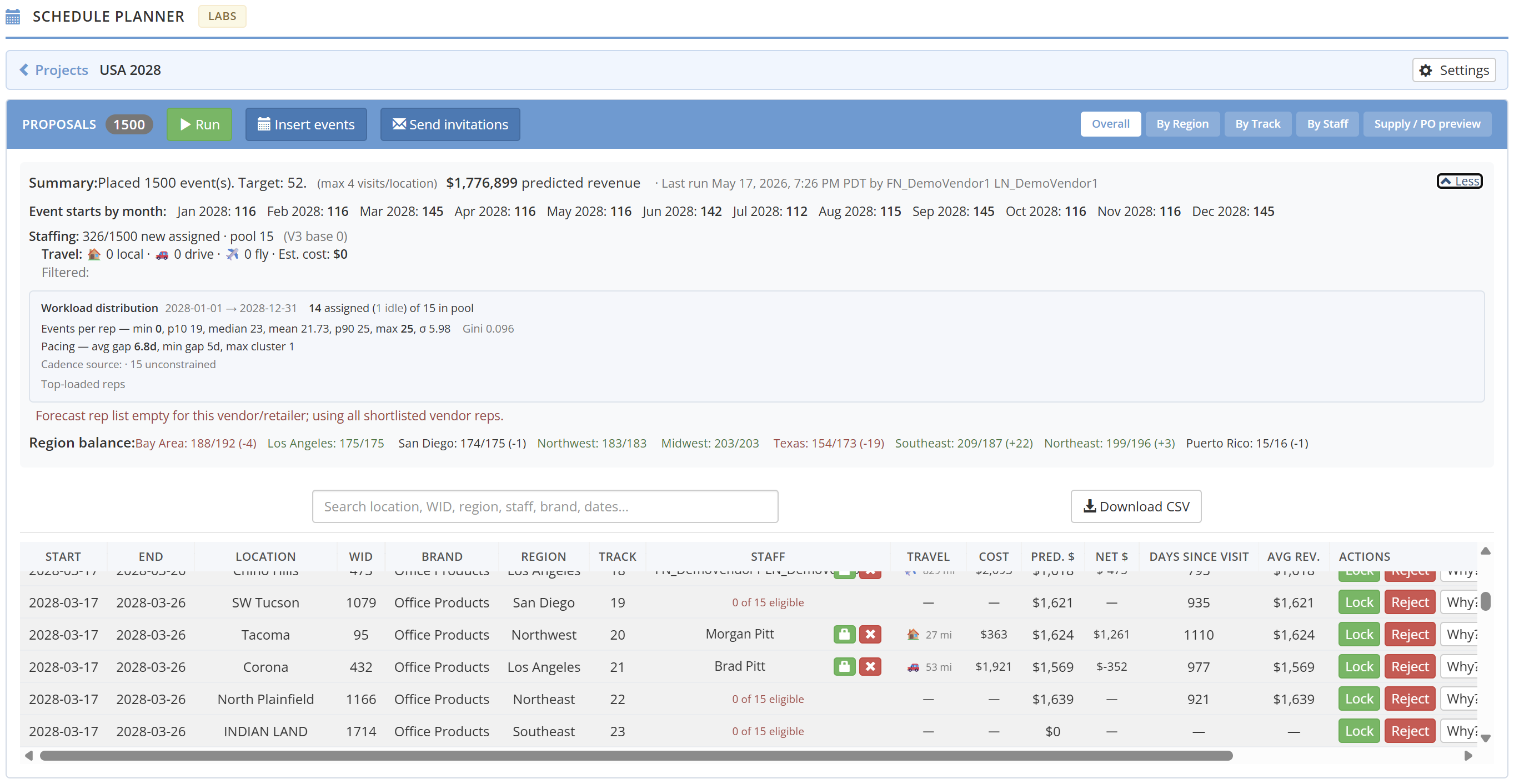
Every staffing operation knows the drop-off point. You run the optimizer, you like the proposals, and then the work starts all over again in a different tool. Export the plan. Cross-reference your roster. Manually create the events. Fire up the recruiting workflow. Hope nothing got lost in the handoff.
That gap is closed.
One Continuous Pipeline
The Schedule Planner already handled the hard part — deciding where and when to run events, which reps fit which placements, and how to balance availability against demand. What it couldn’t do was execute.
Now it can. Two new actions sit at the top of every planner project:
Insert Events takes the proposals you’ve reviewed, locked, and approved and materializes them as real events on your calendar — entries in your show ledger, visible across the platform, ready for staffing. No export. No re-entry. One click, and the plan becomes the schedule. The platform checks for track collisions and validates date ranges before committing anything, so you get a warning if something conflicts before it’s a problem.
Send Invitations takes those committed events, identifies the rep assigned to each one, and fires recruit invitations via email, text, or push notification. If a rep has eight events across three weeks, they receive one consolidated message — not eight separate pings. The platform batches per rep automatically.
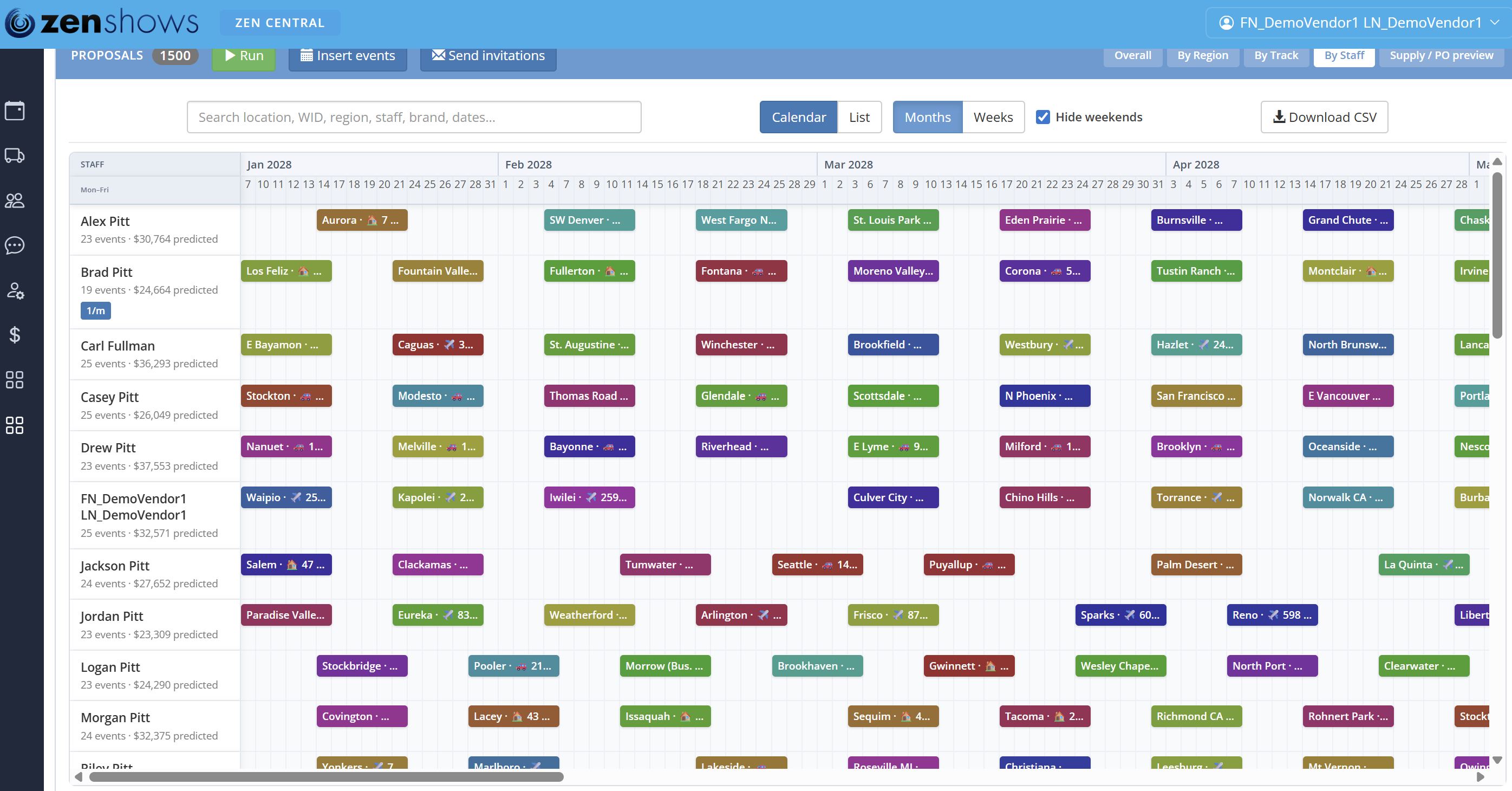
The Feedback Loop That Improves Every Run
Once invitations are out, the planner tracks every response. A pending badge means the invite is in flight. An accepted response locks the rep to the event, creates the work ledger assignment, and updates the staffing view automatically. A rejection permanently excludes that rep from that placement — so the next time you run the optimizer, it won’t propose them for an event they’ve already turned down.
Accepted invitations become locks. Rejections become constraints. The plan gets tighter with every cycle, without anyone manually editing a spreadsheet of rules.
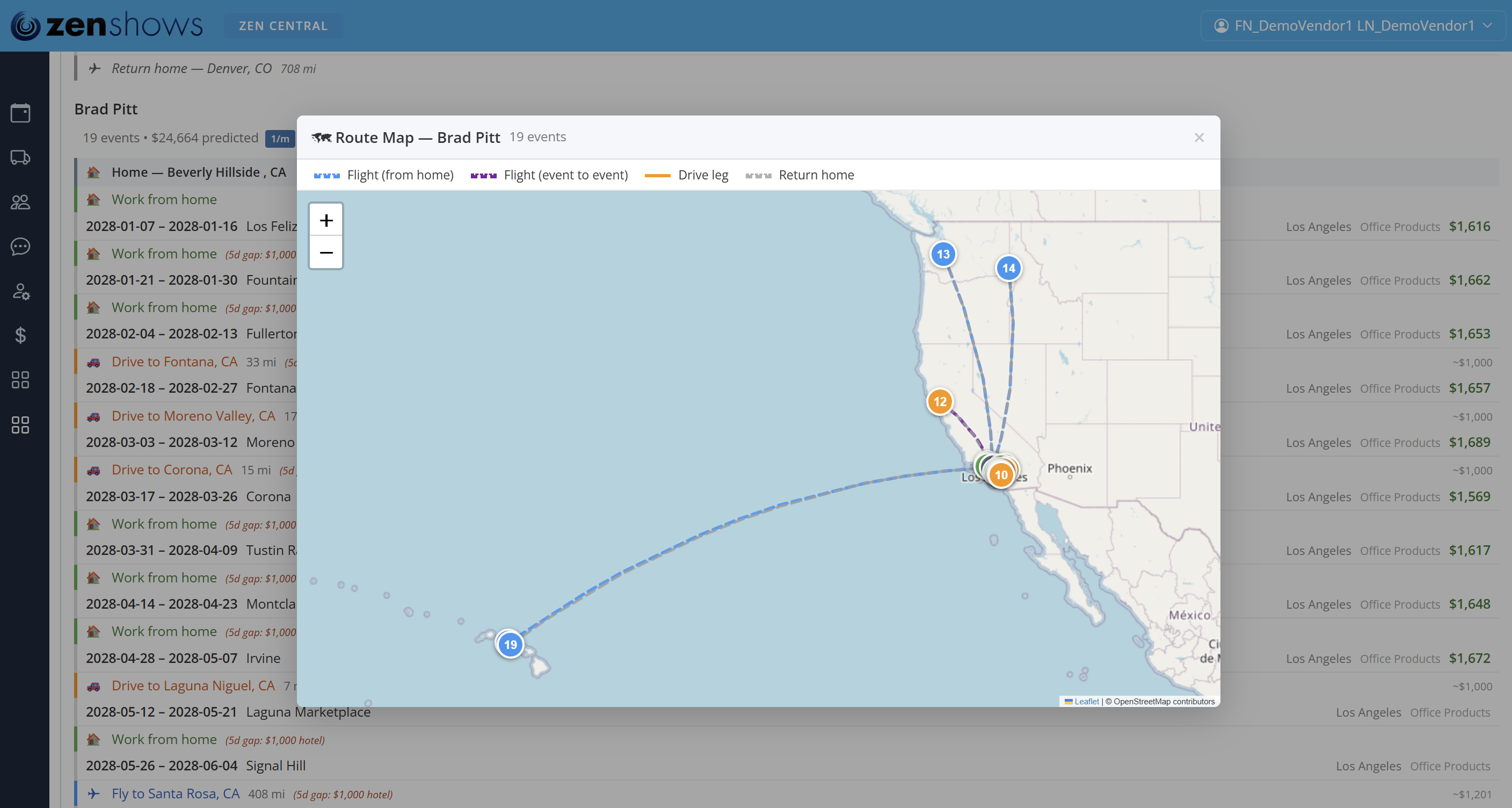
What Changes Day-to-Day
The person who built the plan is now the person who executes it — on the same screen, with full context. No handing off a CSV to someone who wasn’t in the room when the decisions were made. No re-explaining which placements are locked and which are still soft. The planner knows, because you never left it.
The full flow — optimize, commit events, send invitations, confirm staff — now lives in one workspace. For programs running on tight turnarounds, that’s the difference between a plan that ships and one that stalls.
Getting Started
If you already use the Schedule Planner, this is waiting for you. Open a project with a completed optimizer run, lock the placements you want, and look for the Insert Events and Send Invitations buttons at the top of the project view. The flow from there is guided — preview what will be created, confirm, and watch the calendar fill in.
Questions? Reach out through the platform or drop us a line at hello@zenshows.com.