
A receipt should not create a second round of work. Reps already have the paper in hand; they should not have to type every purchase, tax, tip, and total into a blank form afterward.
That is the idea behind Smart Receipt Capture, a new mobile experience now entering beta testing with ZenShows vendors.
Take a photo or choose an existing receipt image, and ZenShows reads the merchant, date, currency, total, taxes, discounts, tip, and individual line items. It can also suggest spending categories, giving the rep a structured record to review instead of asking them to start from scratch.
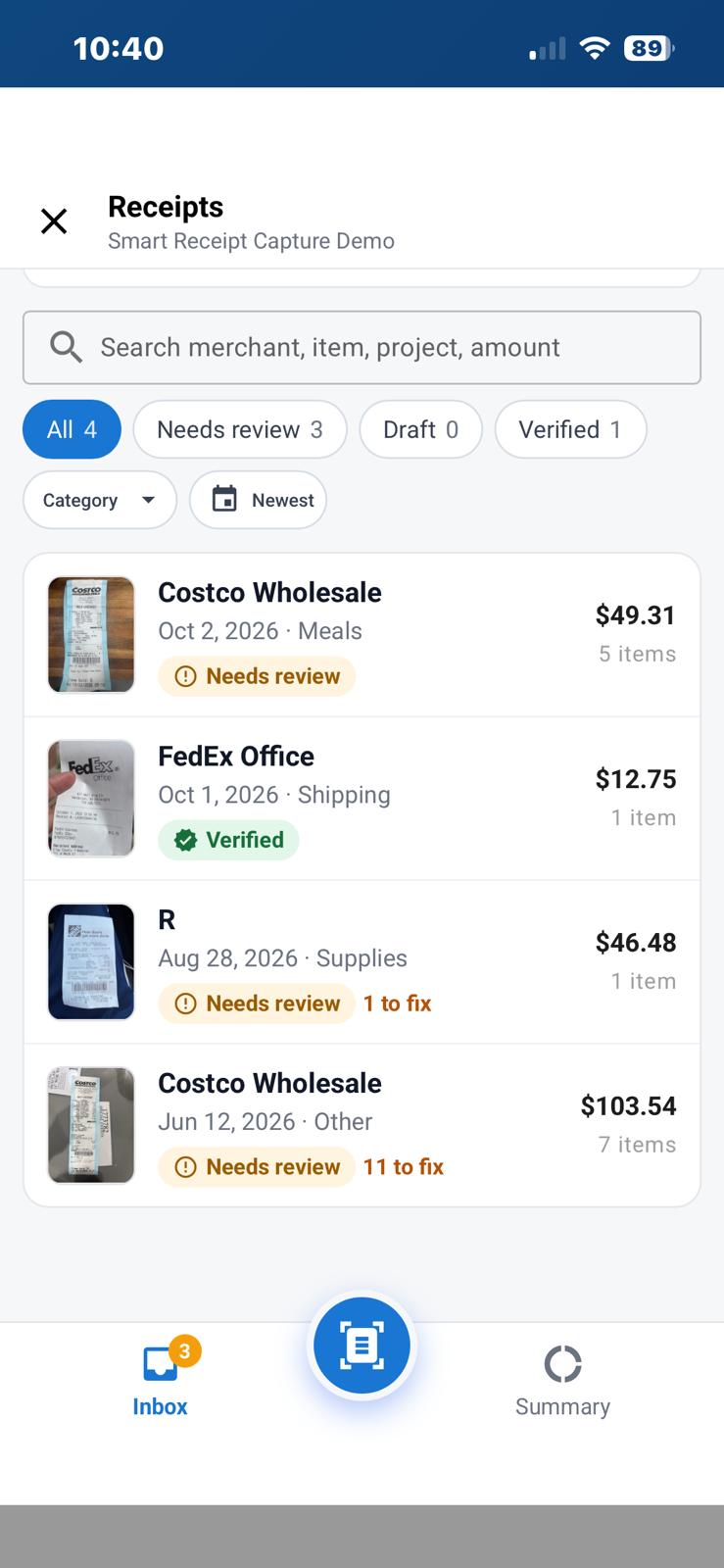
A receipt inbox built for real field work
Captured receipts land in one searchable inbox. Reps can search by merchant, item, project, or amount and quickly see which receipts need review, which are still drafts, and which have been verified.
That matters when a trip or event produces several receipts. Instead of juggling loose photos and wondering what has been submitted, the rep gets a clear checklist with images, totals, categories, and status in one place.
Automatic reading, with a person still in control
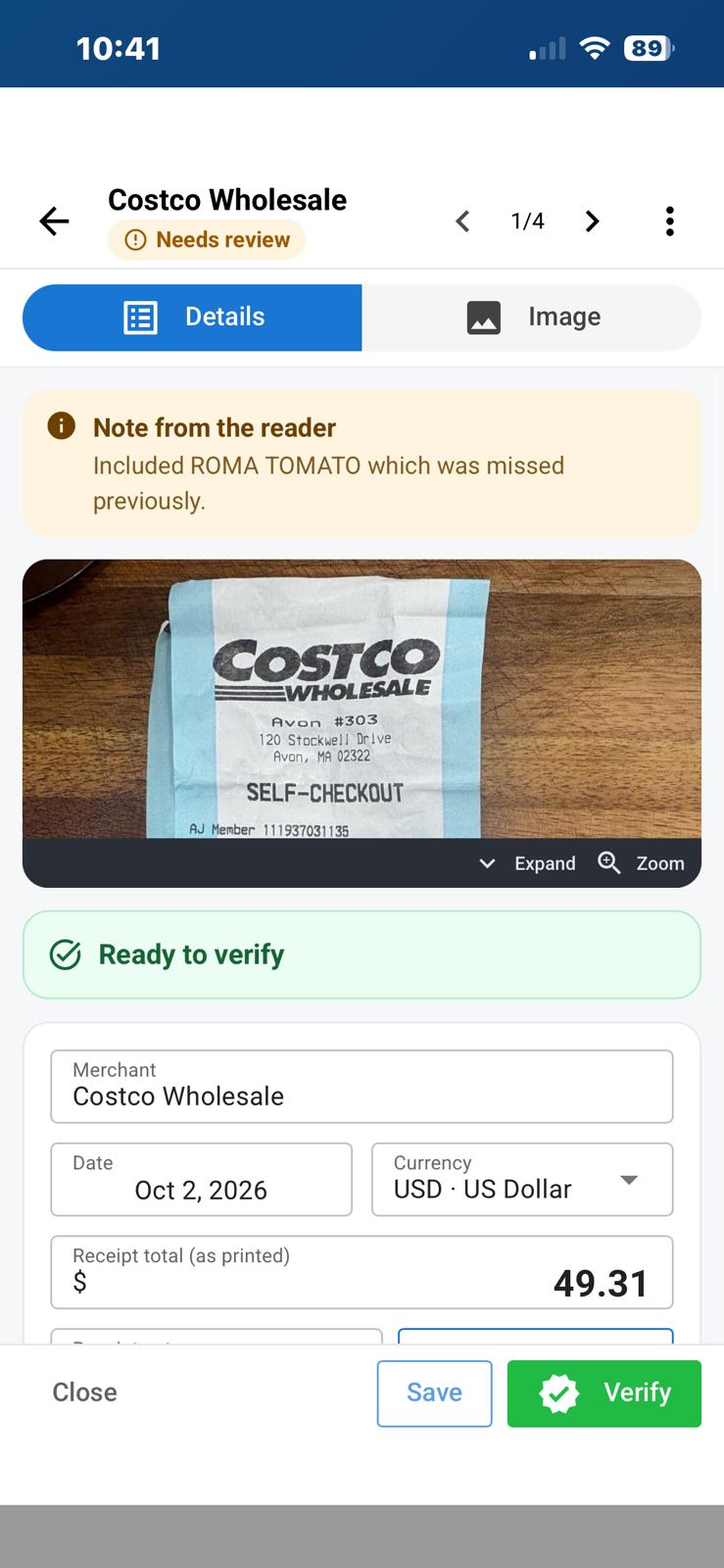
Smart Receipt Capture shows the original image alongside the details it found. The rep can review the merchant, date, currency, total, and other values, correct anything that needs attention, and then verify the receipt.
The system can even leave a review note when it finds something that may have been missed. Automation handles the repetitive reading; the rep makes the final call.
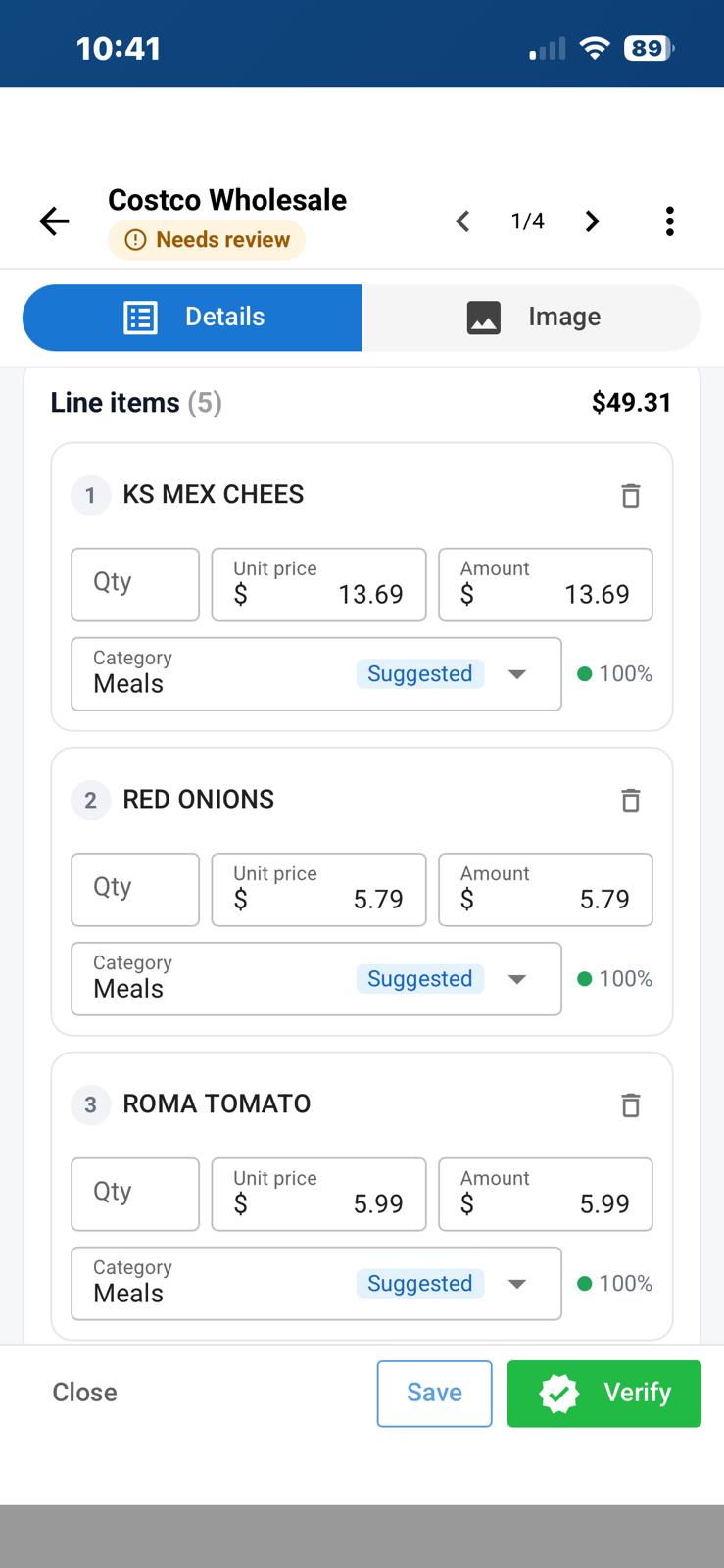
Line-item detail, not just one total
When the receipt is readable, ZenShows can capture individual purchases and suggest a category for each one. Quantity, unit price, amount, and category remain editable before verification.
That gives operations and accounting teams a more useful expense record while saving field staff from retyping a long receipt line by line.
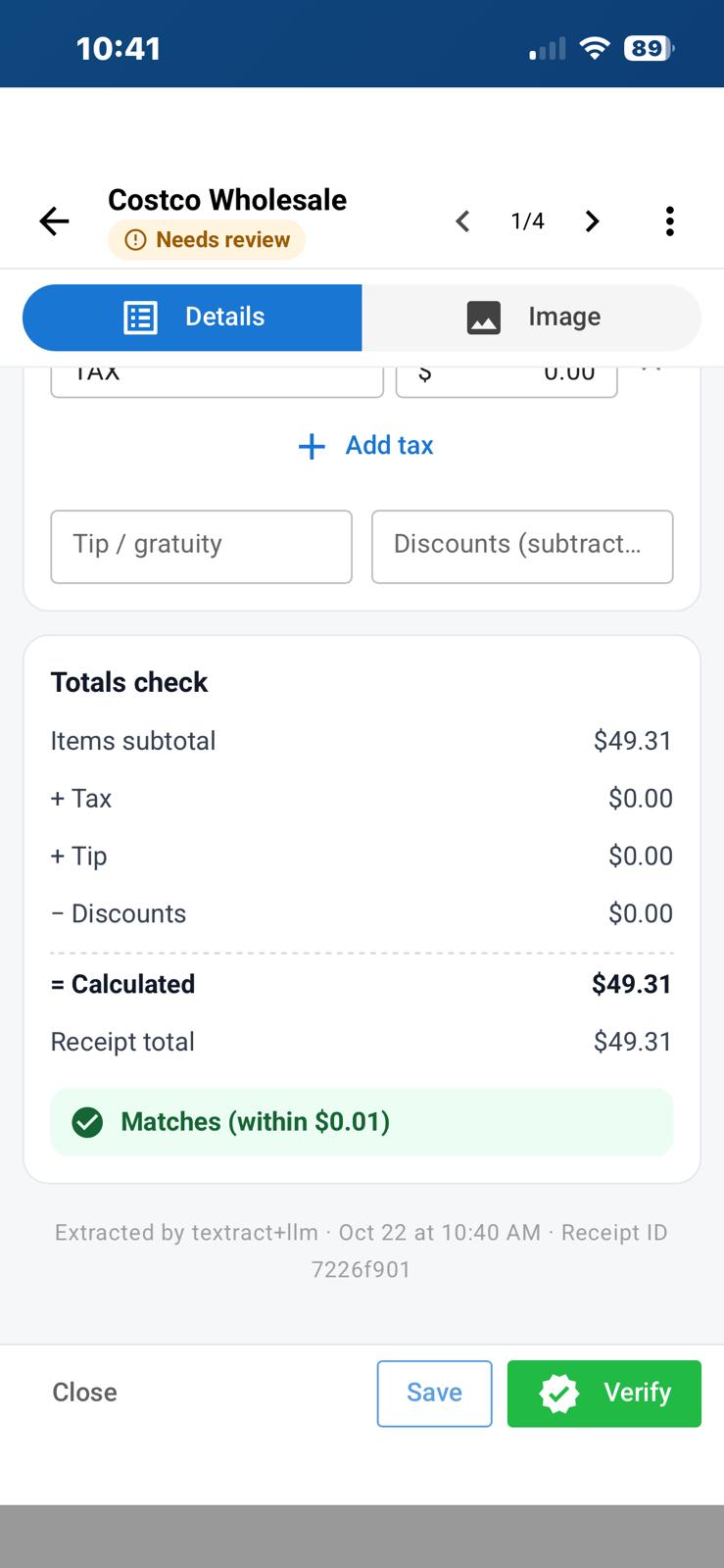
A totals check before verification
Before a receipt is verified, ZenShows compares the item subtotal, taxes, tip, and discounts with the printed receipt total. A clear match indicator helps the rep confirm that the record adds up and highlights receipts that need another look.
What beta participants can try
- Capture a receipt with the mobile camera or select an existing image.
- Automatically read key receipt details and individual purchases.
- Review suggested categories at the line-item level.
- Search and filter a receipt inbox by status and other details.
- Correct extracted information before confirming it.
- Verify that calculated values match the printed receipt total.
- Keep the receipt image and reviewed expense details together in the DataCollector workflow.
Join the Smart Receipt Capture beta
We are inviting ZenShows vendors to test Smart Receipt Capture in real expense workflows and help shape what comes next.
Beta feedback will help us improve receipt reading across different merchants, layouts, lighting conditions, and expense policies. Because this is a beta, participants should review extracted details before verification and tell us where the experience can be clearer or more accurate.
Want to try it with your team? Contact us through the platform or email hello@zenshows.com and ask to join the Smart Receipt Capture beta. Tell us a little about the expense form or field workflow you would like to test, and we will help with the next steps.